
Frequency in a computer network describes how often its signal repeats. At home, your Wi-Fi may feel fast near the router but slow in a back room. Frequency affects how a signal travels, but it does not set your internet speed by itself. Bandwidth is the span of frequencies a channel can use to carry a signal.
Wi-Fi uses radio signals, while wired networks also rely on electrical signals moving through cables. The frequency helps describe those signals, but your experience depends on more than one measurement. You will see how to tell frequency apart from the speed you experience, and why that difference matters when you use a network.
Key Takeaways
- Frequency measures how often a signal repeats.
- Hertz counts cycles per second.
- A Wi-Fi band is a radio-frequency range.
- Higher frequency alone does not promise higher speed.
- Distance and obstacles can affect your signal.
First, it helps to see how network frequency is measured and used in everyday equipment.
What Is Frequency in Computer Network?
A network cable may carry a rating in MHz, so the unit tells you what the number describes. Frequency counts how often a repeating signal completes a cycle. Bandwidth describes a span of frequencies, not one frequency value.
Cycles, hertz, and period
One full repeat is one cycle. Frequency equals the number of cycles divided by the time measured in seconds. If a signal completes 10 cycles in one second, its frequency is 10 Hz.
One hertz (Hz) equals one complete cycle per second. The period is the time needed for one complete cycle. Frequency and period are linked: a shorter period means more cycles fit into each second.
Frequency counts complete cycles over time. One hertz means one cycle per second.
The basic formula is frequency = number cycles ÷ time. You can also write frequency = 1 ÷ period when you know the length of one cycle.
Units scale by powers of 1,000: 1 kHz equals 1,000 Hz, 1 MHz equals 1,000,000 Hz, and 1 GHz equals 1,000,000,000 Hz. Megahertz means millions of cycles per second.
Frequency in network electronics and data communication
What frequency means in a computer network, with an example, becomes clear in a cable rating. A 100 MHz rating corresponds to 100 million cycles per second. It describes signal frequency, not a promise of a matching data rate.
Network cabling is commonly rated in kHz or MHz. Proterial’s guide to units in network cabling explains how MHz rates signal frequency.
What frequency means in data communication is the pace at which a signal repeats as it carries information. What frequency means in electronics is similar: circuits use changing voltage or current to form a waveform. The data rate measures how much data passes in a given time, so it is a different term.
Engineers measure frequency in hertz, but wireless devices use radio bands named in GHz. Those band names lead to a practical choice between Wi-Fi connections.
Which Wi-Fi Band Should You Use?
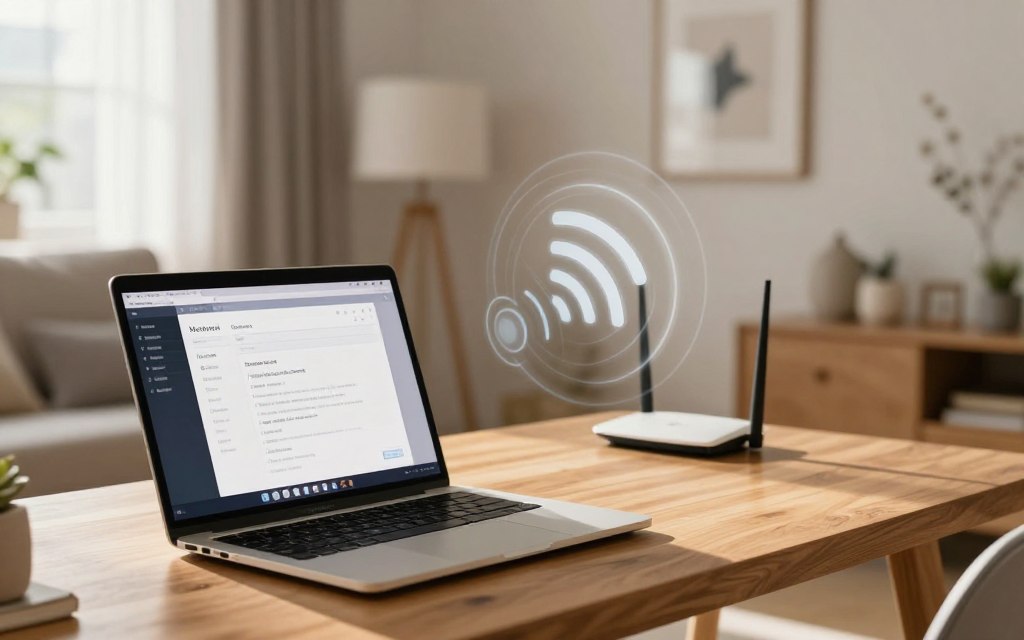
If your router offers more than one band, choose based on where you use the device. For farther rooms, 2.4 GHz usually reaches farther and passes through walls better. The 5 GHz and 6 GHz bands generally offer more speed potential at shorter distances.
How 2.4, 5, and 6 GHz bands compare
Pick the band that fits the distance and your device’s support. A device must support a Wi-Fi band to connect to it. Results vary with the router, device, and room, so these comparisons are typical rather than guaranteed.
| Band | Typical reach | Wall penetration | Speed potential |
|---|---|---|---|
| 2.4 GHz | Farther | Better | Lower |
| 5 GHz | Shorter | Less | Higher |
| 6 GHz | Shorter | Less | Higher |
A laptop that does not list 5 GHz support cannot use that band, even if the router offers it. This guide to why a 5 GHz network may not appear covers common compatibility issues.
Frequency in radio communication and wave behavior
In radio communication, a Wi-Fi signal travels as a wave with a wavelength, or distance between matching points on the wave. When wave speed stays constant, a higher frequency means a shorter wavelength.
The phrase “what frequency means in communication” points to how quickly a radio wave repeats. The question “what frequency means in physics” also involves wavelength and wave speed. In practice, your range depends on the band and the space between your router and device.
Each Wi-Fi band gives you a different tradeoff, not a fixed result. Your actual connection also depends on the channel and conditions around the signal.
How Frequency Affects Network Performance
A higher frequency by itself does not guarantee a faster connection. Frequency is only one part of performance; available bandwidth, equipment, distance, obstacles, and interference also matter. In network cabling, higher frequency or greater distance can worsen the signal-to-noise ratio (SNR), reducing usable bandwidth.
More frequency alone does not mean more speed. Distance and noise can reduce the bandwidth a cable can use.
What frequency means in AC is how often an alternating current waveform completes a cycle. Networks use the same basic idea to describe repeating signals, but data rate measures the amount of data sent over time.
Your router and computer hardware affect the connection too; learn about key computer system components that shape a computer’s capabilities. Check these settings where you use the network:
- Move closer to the router.
- Place the router in an open, central spot.
- Try another available Wi-Fi band.
- Check that your device supports that band.
- Use Ethernet when you need a steadier wired connection.
These checks can help you spot whether distance, interference, or band support affects the signal. Test one change at a time, then compare the connection where you need it.
Conclusion
Frequency describes signal repetition, while it does not tell you your full network speed. Your band choice and the conditions around your device shape the range and signal you experience.
Start by checking which Wi-Fi bands your router and device both support. Then test the connection in the room where you plan to use it. That simple check shows whether the available band fits your needs before you look for another cause of slow service.

 By
By
 By
By

 By
By